
Open a Cloudflare R2 bucket on iPad
A Cloudflare R2 bucket can sit in the sidebar of the iPad Files app. This guide sets that up with BucketVolume.
What you need
- An iPad and BucketVolume from the App Store.
- A Cloudflare account with an R2 bucket.
Steps
-
Copy your Account ID from Cloudflare
In the Cloudflare dashboard, open R2. The R2 overview page shows your Account ID, a 32-character string of letters and digits. Copy the Account ID.
-
Create an R2 API token
On the same R2 page, create an API token. The Object Read & Write permission is enough, and you can limit the token to one bucket.
Cloudflare shows an Access Key ID and a Secret Access Key once. Keep the page open until both are pasted into BucketVolume.
-
Connect the bucket in BucketVolume
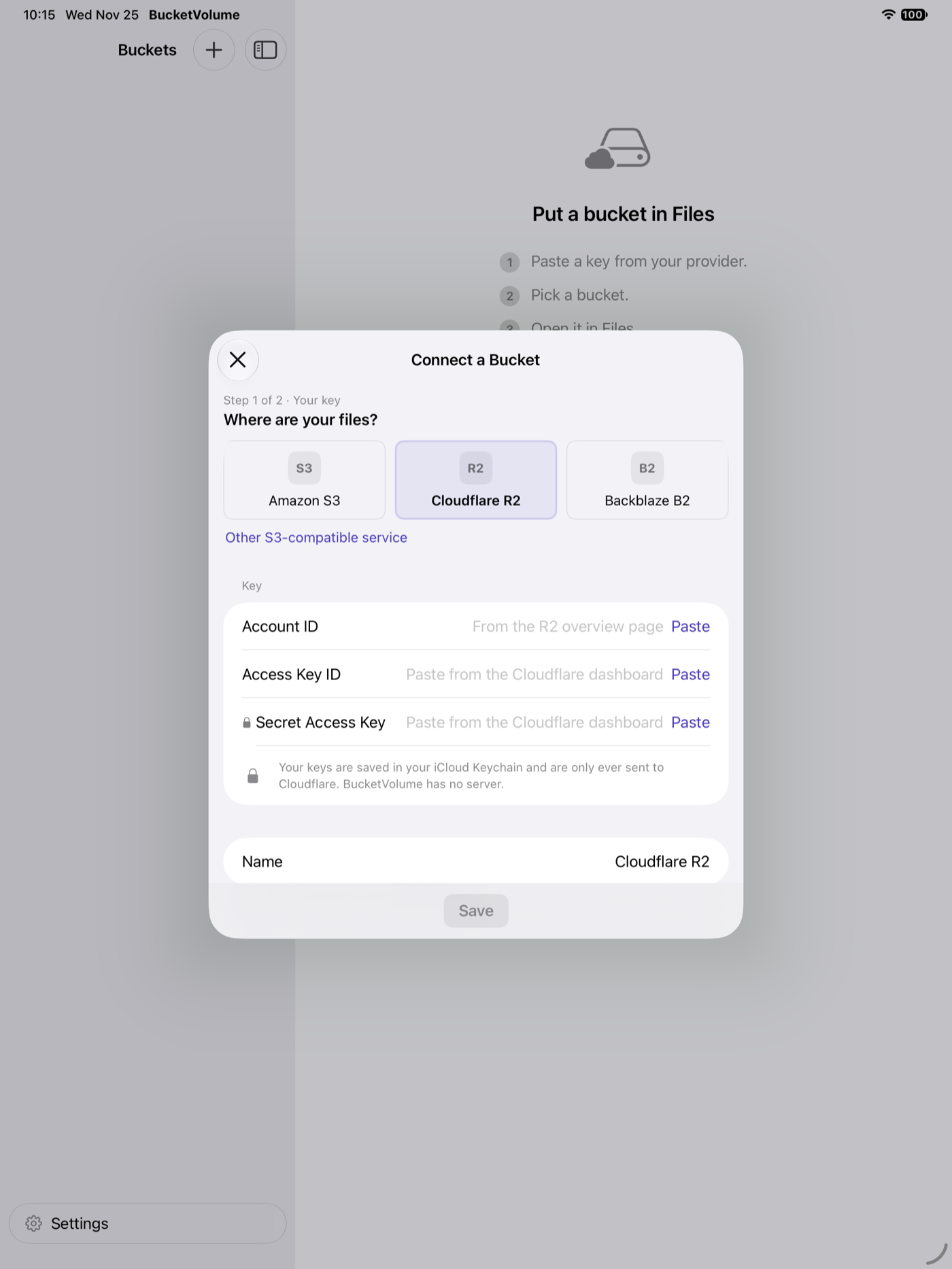
Open BucketVolume and tap Connect a Bucket. The sheet has two steps.
Step 1 asks for the key. Choose Cloudflare R2 from the row of providers. Paste the Account ID into Account ID, then paste the Access Key ID and the Secret Access Key, and tap Save.
BucketVolume may warn that Cloudflare did not say whether the key is right, and the button becomes Save Anyway. Cloudflare gives the same answer for a wrong secret and for a token limited to one bucket. Tap Save Anyway; BucketVolume checks the key again in step 2.
Step 2 asks Which bucket? Type the bucket's name in the Bucket field. A token limited to one bucket cannot list the buckets in your account, so BucketVolume may have no list to offer. BucketVolume checks that the credential can reach the bucket before mounting it.
If BucketVolume already has a credential, use the + menu instead: Add Credential… opens the same two steps for a new key, and Add Bucket… adds a bucket with a key BucketVolume already has. A second credential or a second bucket needs the Pro upgrade, and BucketVolume offers Pro at that point.
-
Open the bucket in the Files app
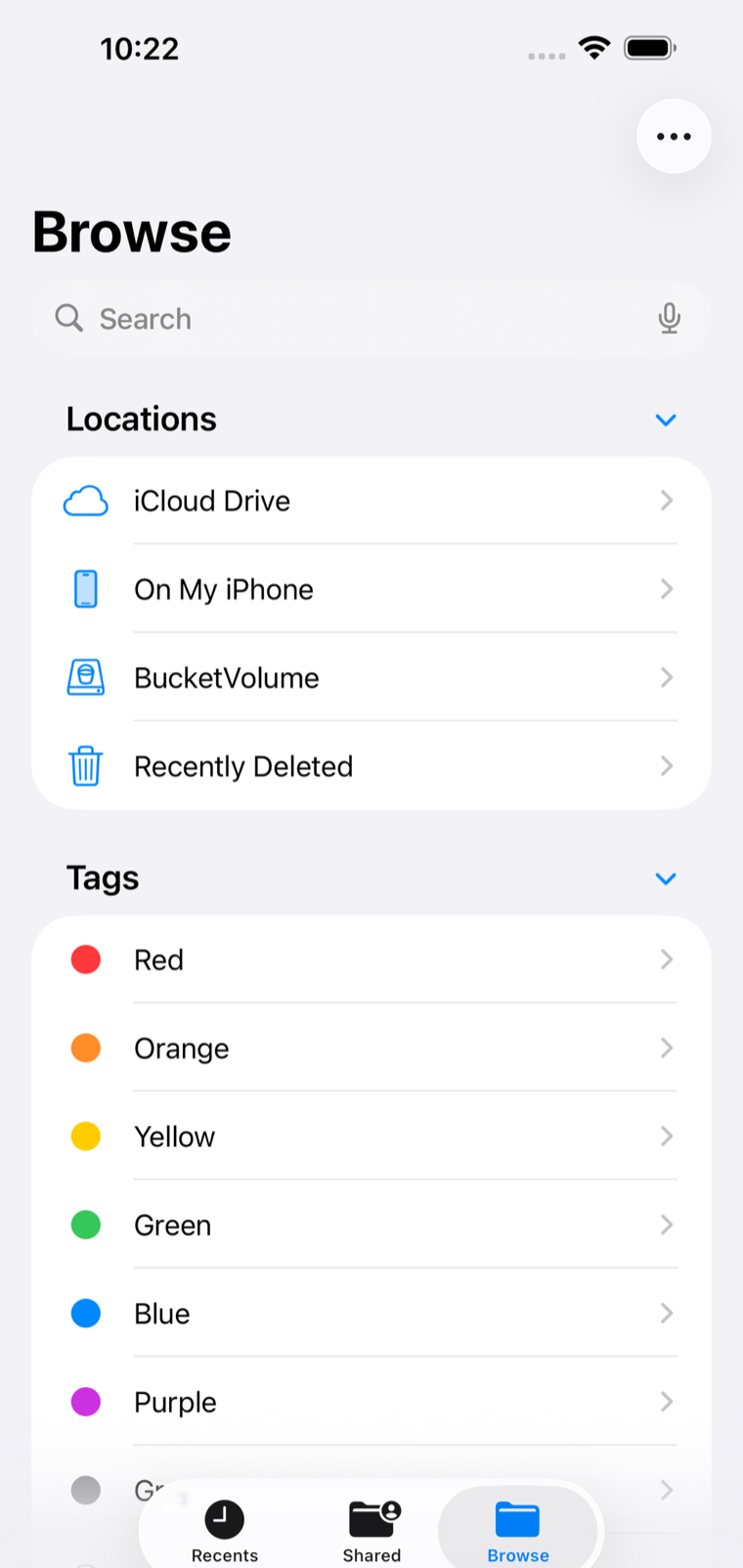
Open the Files app. BucketVolume is in the sidebar under Locations, and the bucket is a folder inside it.
The first time you tap BucketVolume, iPad asks Turn On “BucketVolume”? Tap Turn On. iPad asks once.
Any app that opens files through the Files app can now open and save files in the bucket.
Good to know
- A file downloads when you open it. Files you mark to keep stay on the iPad for use without a connection.
- The R2 credential syncs to your iPhone and Mac through iCloud Keychain. Add the bucket on each device where you want it.
- If the bucket changes while you are editing a file, BucketVolume keeps both versions and names yours as a conflict copy.
- BucketVolume has no server. The key goes only to Cloudflare.


BucketVolume costs $2.99 once, for iPhone, iPad and Mac together, and includes one credential and one bucket. The optional Pro upgrade, $9.99 once, raises that to 100 credentials and 1,000 buckets.
Other guides
- Mount an Amazon S3 bucket in Finder on a MacAn Amazon S3 bucket can be a folder in the Finder sidebar. This guide sets that up with BucketVolume.
- Mount a Cloudflare R2 bucket in Finder on a MacA Cloudflare R2 bucket can sit in the Finder sidebar like a drive. This guide sets that up with BucketVolume.
- Mount a Backblaze B2 bucket in Finder on a MacA Backblaze B2 bucket can appear in the Finder sidebar beside your drives. This guide sets that up with BucketVolume.
- Open an Amazon S3 bucket in the Files app on iPhoneAn Amazon S3 bucket can appear in the iPhone Files app under Locations. This guide sets that up with BucketVolume.
- Open a Cloudflare R2 bucket in the Files app on iPhoneA Cloudflare R2 bucket can be a folder in the iPhone Files app. This guide sets that up with BucketVolume.
- Open a Backblaze B2 bucket in the Files app on iPhoneA Backblaze B2 bucket can appear in the iPhone Files app next to iCloud Drive. This guide sets that up with BucketVolume.
- Open an Amazon S3 bucket on iPadAn Amazon S3 bucket can appear in the iPad Files app as a folder. This guide sets that up with BucketVolume.
- Open a Backblaze B2 bucket on iPadA Backblaze B2 bucket can appear in the iPad Files app beside iCloud Drive. This guide sets that up with BucketVolume.